
POS Universe · Crystallize

The till that sells with you

Turn the tablet or phone you already own into a complete till. Shorter queues, fewer expensive boxes on the counter, and a customer display that actually helps people buy.

Less hardwarePhones and tablets do the job of scanner, till and payment terminal.
Shorter queuesFewer taps, faster sign-in, and items scanned before the customer reaches the counter.
More sales per customerThe product content from your online store follows the product all the way to the customer display.

See it in action

The demo, screen by screen

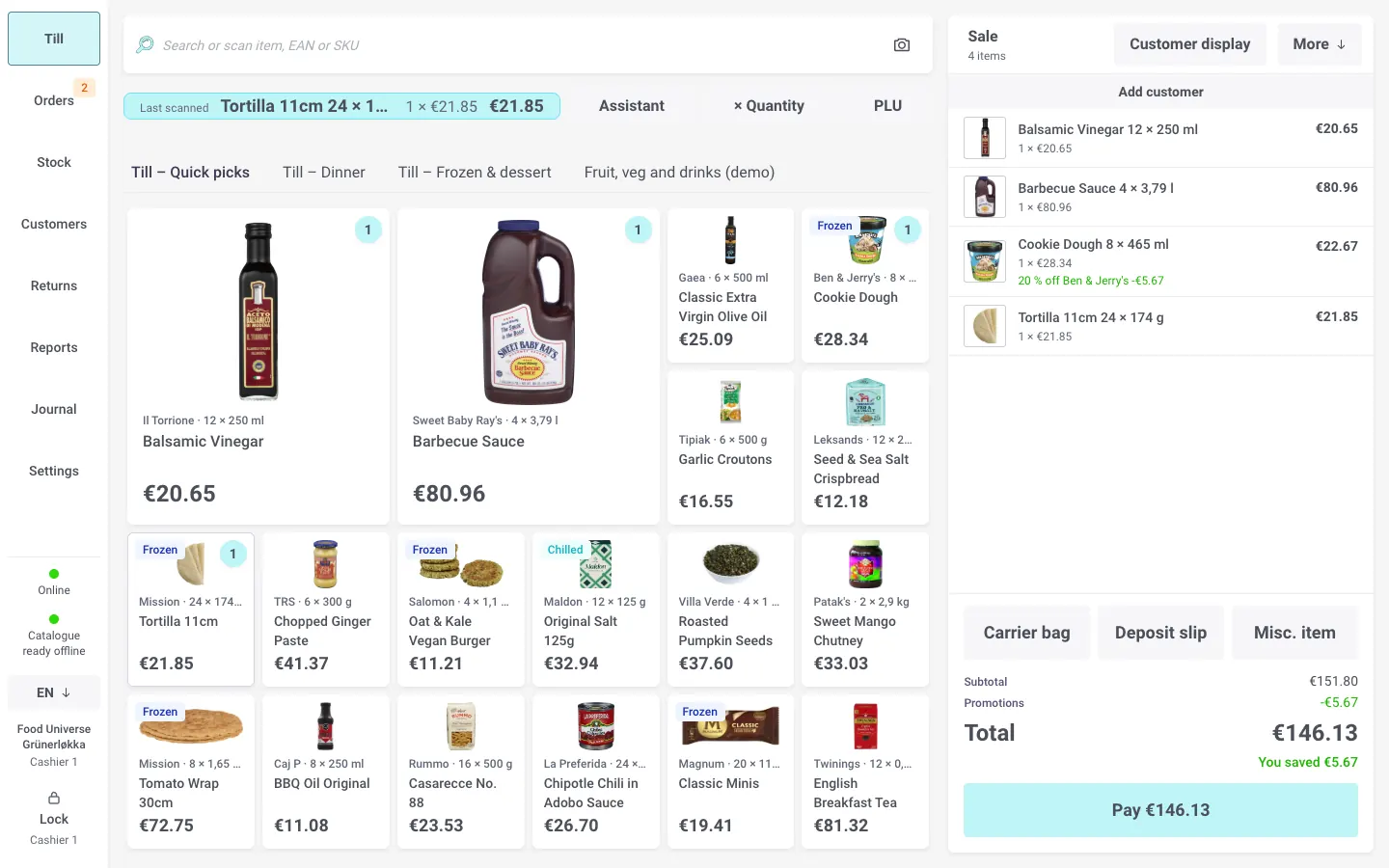
Every picture is the real till, selling from Crystallize demo stores.

  • Screens laid out in Crystallize
    Screens laid out in CrystallizeKeys arranged by a merchandiser, with images, prices and promotions from the catalogue.
  • A customer display that sells
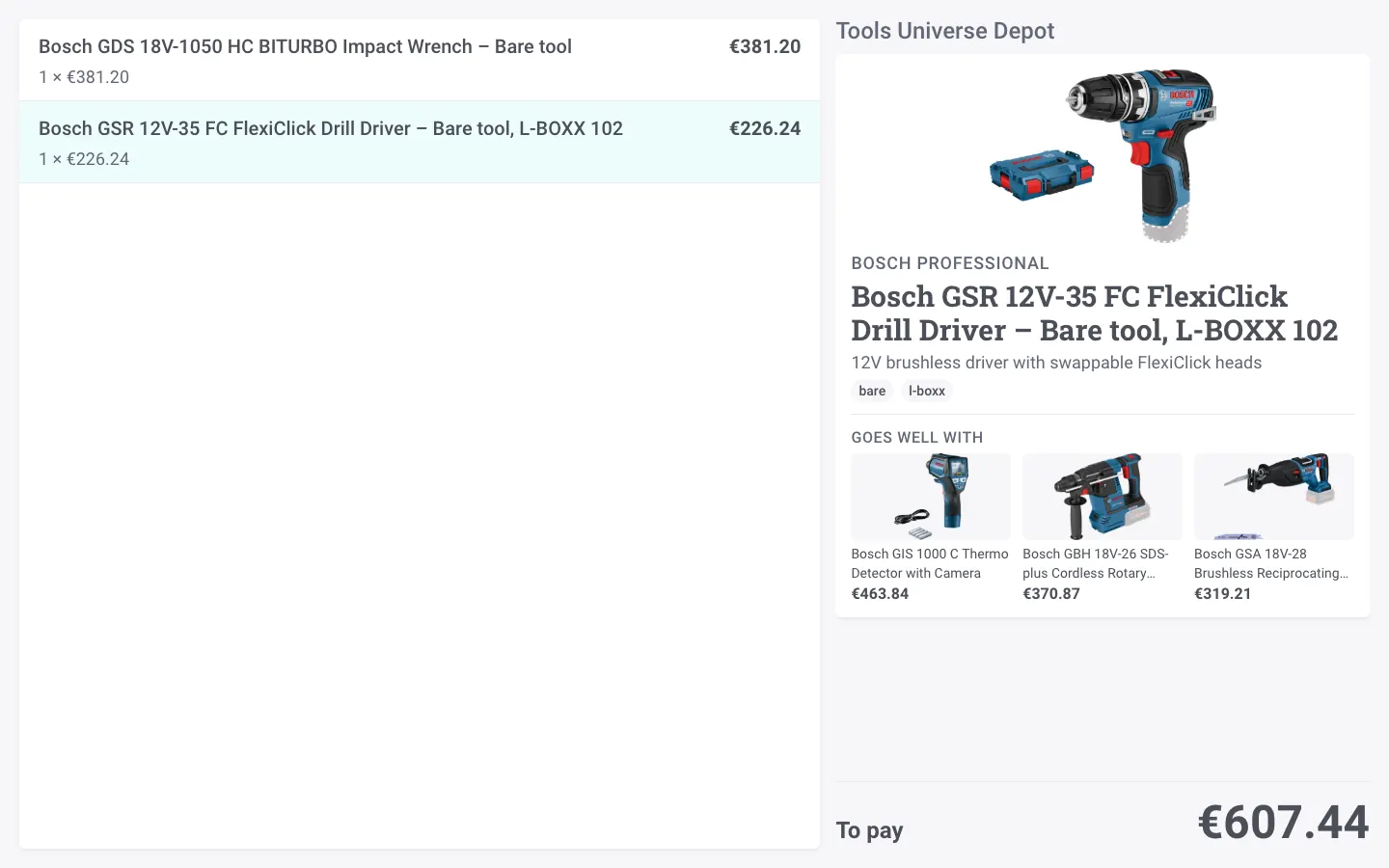
    A customer display that sellsThe item just scanned, its description, and three products that go well with it.
  • Fashion, straight from the catalogue
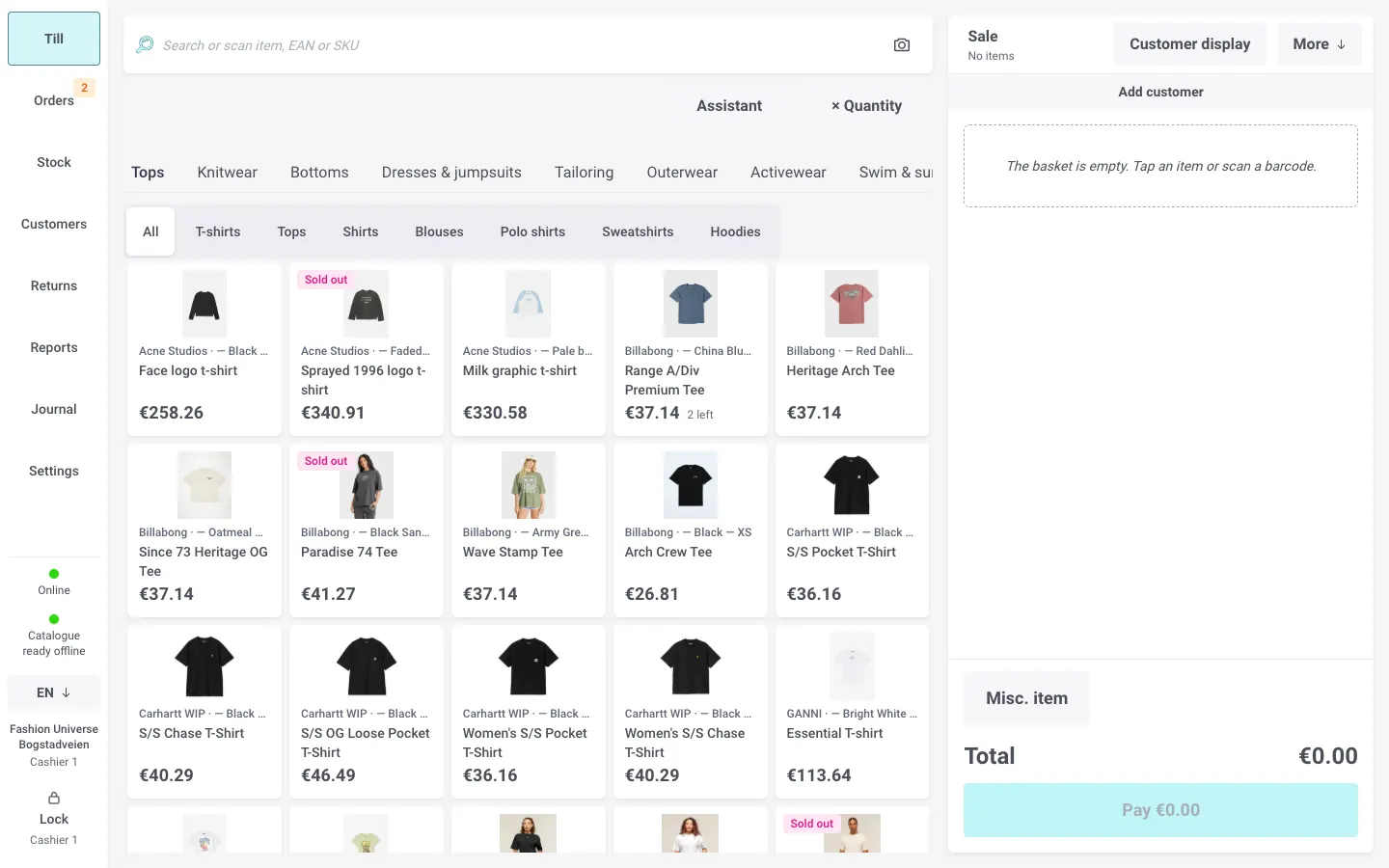
    Fashion, straight from the catalogueFolders become screens, with sizes, colours and what is sold out.
  • A sales assistant at the till
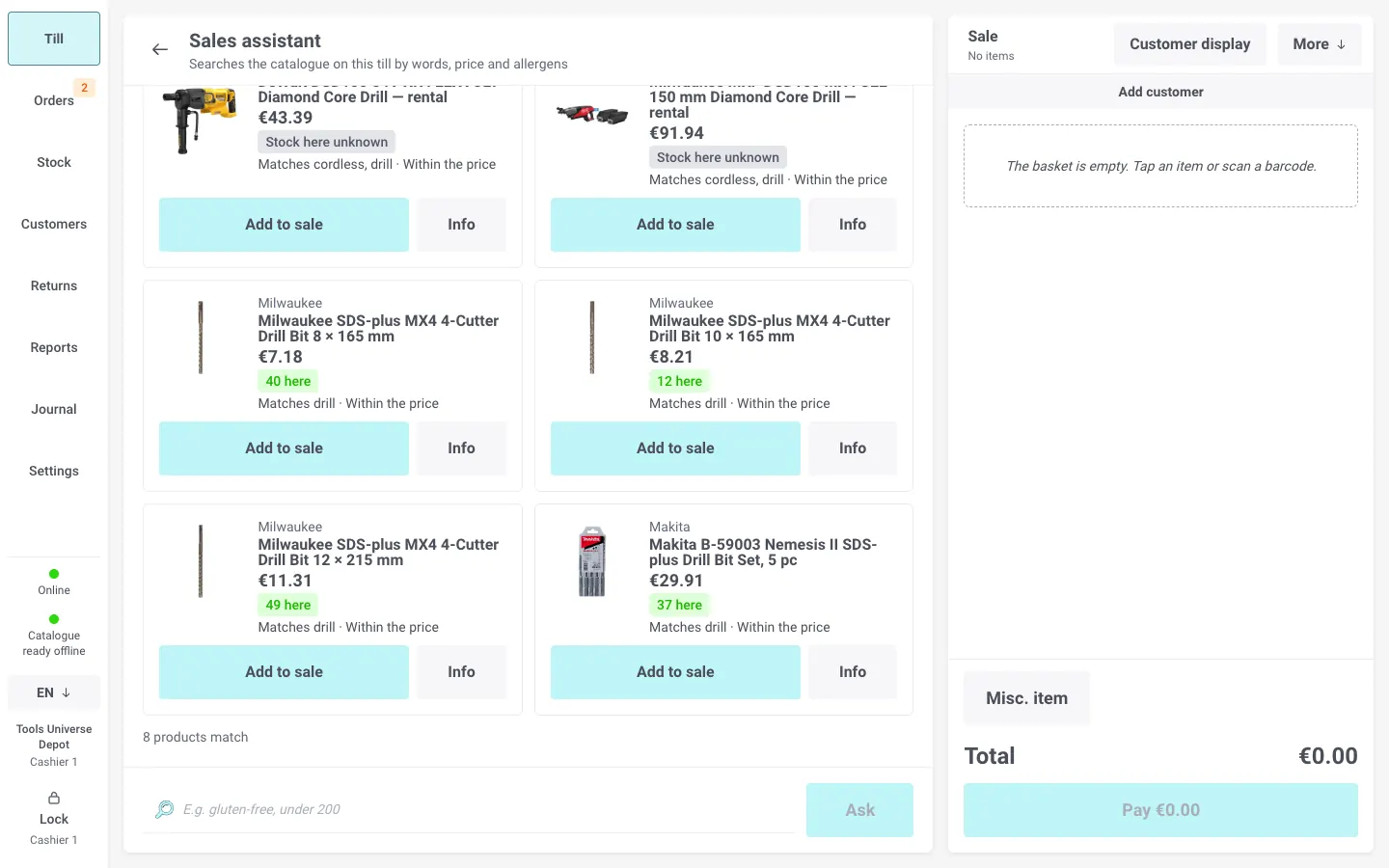
    A sales assistant at the tillAsk in plain words and ring up a real product in one tap.
  • One till, three stores
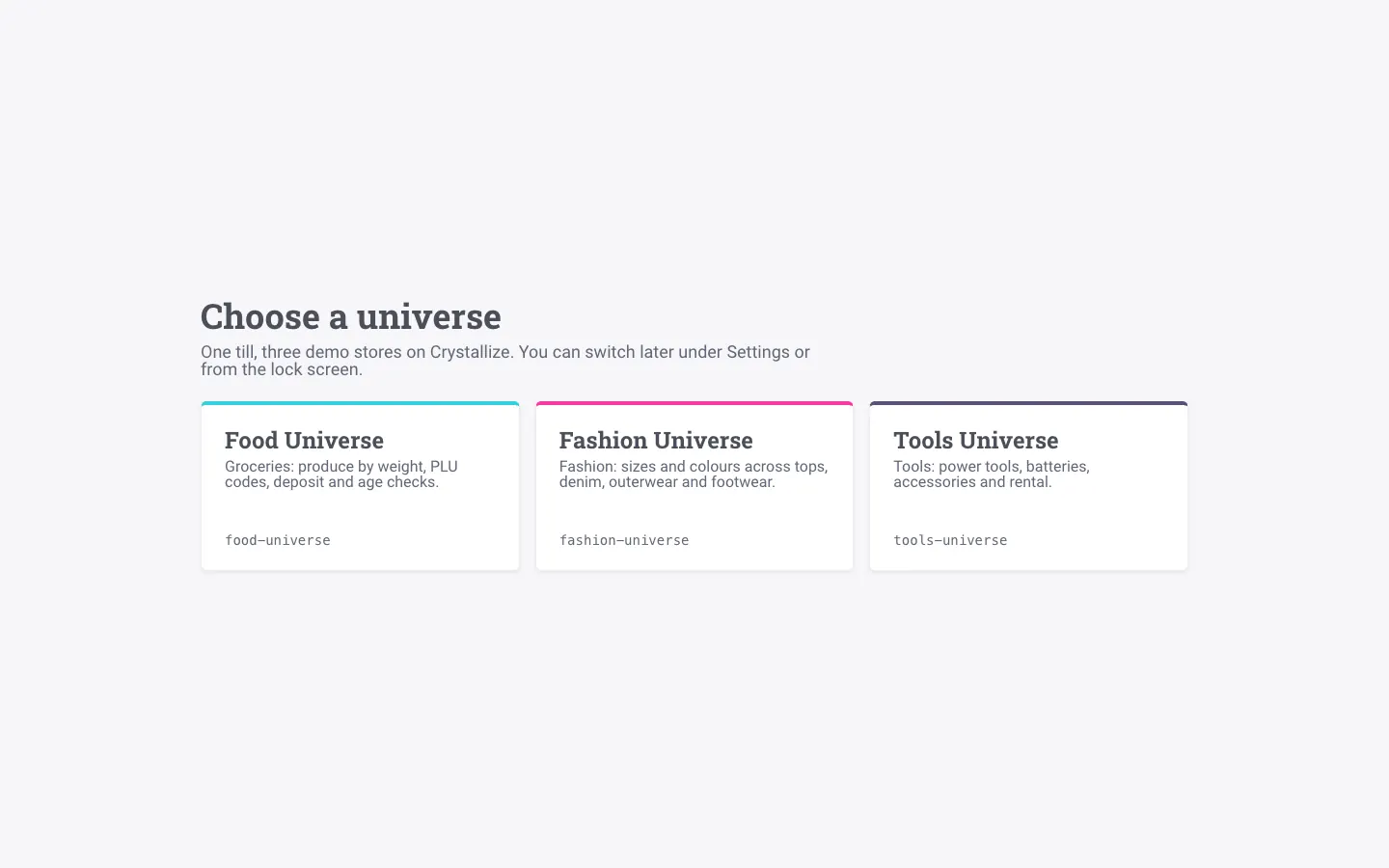
    One till, three storesGrocery, fashion or tools: each its own Crystallize store, switched in a tap.

What the store gets

Six gains, one till

Everything builds on the product data you already have in Crystallize. What you entered for your online store becomes sales support in the physical store.

Faster at the counter

Every second at the counter is a second the next customer spends waiting. We removed the small stops that add up over a day.

  • Unlock with a fingertip or face

    Staff unlock the till with Touch ID or Face ID instead of typing a PIN. No sticky notes with codes, and no borrowing the manager's PIN.

  • The camera is the scanner

    Scan items with the tablet or phone camera. During stock counts it reads several barcodes on a shelf in one shot.

  • Line busting

    A staff member scans items while the customer waits in line. At the counter the whole basket comes up with one code, and payment takes seconds.

Less kit on the counter

Fixed terminals, scanners and printers with their own drivers cost rent, setup and service visits.

  • Take payment on the phone

    The customer taps a card or phone against the till's phone. Ready for Stripe and Adyen. The demo runs a simulated reader, so it can be shown without an agreement.

  • Printer and cash drawer, no installation

    Connect the receipt printer from the browser and print. The drawer opens on cash payments.

  • Digital receipts

    The customer scans a QR code on the display and gets the receipt on their phone. Less paper, and fewer lost receipts at exchange time.

A customer display that sells

Most customer displays show a price list. Ours shows the item just scanned, with the things customers ask about.

  • The item appears big when it is scanned

    Image, brand, short description and allergens come straight from the product data. The customer sees exactly what goes into the basket.

  • Featured products while the till is idle

    Between customers, best sellers rotate with image and price. The screen keeps working when nobody is at the counter.

  • "Goes well with"

    Suggestions that match what was just scanned, shown while the customer is still at the counter.

Every employee becomes a product expert

New and seasonal staff can't know the whole range. The till helps them answer like an experienced salesperson.

  • Sales assistant

    Ask in plain words: "waterproof jacket under 1,500 kr" or "gluten-free alternative". Answers show real products with stock here and in other locations. Without an AI key, it still works as a smart search.

  • The till recognises fruit and veg

    Put the apples on the scale and the till suggests the right variety. One tap, no searching through lists. The demo recognises colour and shape; a store trains its own model for real accuracy.

One customer, every channel

Customers don't separate the online store from the shop. Now the till doesn't either.

  • Pick up the web cart in store

    The customer filled a cart online. At the till it comes up with one tap, so they can try on and buy on the spot.

  • Send the cart home

    Not ready to decide? With the customer's consent, the basket goes to them as a link and QR code so they can finish at home.

  • Sold out in store, shipped from the warehouse

    If the size is missing in store, it is ordered from the central warehouse in the same purchase. The sale isn't lost.

Control without friction

A fast till doesn't mean weaker control. Quite the opposite.

  • Manager approval with a fingertip

    Large discounts and returns are approved with the fingerprint of a manager who is allowed to. The journal records who approved.

  • Speaks your staff's language

    The whole till works in English, Norwegian, Swedish and Dutch. Each till picks its own language, and the customer display follows it.

  • Keeps selling when the internet drops

    Sales, catalogue and product images live on the device. The store keeps selling even when the line is down.

Under the hood

Serious technology, simple to run

The till is a web app built on open web standards and Crystallize’s own APIs. Here is what that buys a store.

  • Offline first · IndexedDB · service worker

    The internet drops. The till doesn’t notice.

    The whole catalogue and its images live on the device, and every sale goes into a local journal first. When the line is back, sales flow to Crystallize on their own, and a retried sale is never created twice.

  • Passkeys · WebAuthn · WebCrypto

    Your fingerprint never leaves the device.

    Touch ID and Face ID are checked by the phone or tablet itself. The till only receives a signed proof and verifies it on the spot, and the journal records who signed in and who approved what.

  • Web standards · no drivers

    Plug in a printer. Point a camera. Done.

    Barcodes are read by the browser’s own barcode detection, with a fallback that works in Safari too. Receipt printers and cash drawers connect over USB, Bluetooth or serial, straight from the browser.

  • Crystallize Catalogue, Discovery and Shop APIs

    One catalogue for the web shop and the shop floor.

    Till screens are grids your merchandisers lay out in Crystallize, search runs on Discovery, and every sale lands as an order through the Shop API. No second product database to keep in sync.

  • Local mesh · end-to-end encrypted

    Tills that talk to each other, even offline.

    Devices in the same store share baskets and stock changes directly, encrypted with a key only that store’s tills hold. A basket handed over by QR code carries everything it needs, so line busting works without internet.

  • Signed links · no customer data

    Digital receipts without a receipt database.

    The receipt travels inside a signed, expiring link in the QR code. Nothing is stored on a server, and the customer’s name or e-mail is never in it.

  • AI with guardrails

    An assistant that can’t make products up.

    Every product it suggests is checked against the catalogue before it reaches the screen, with the catalogue’s own price and stock. No customer data is sent to the model.

  • On-device vision · WebGPU

    Produce recognition that stays in the store.

    The model runs in the browser on the till itself, so no camera images leave the store, and it keeps working offline.

  • Hash-chained journal · SAF-T

    Built for the auditor too.

    Every sale, approval and drawer opening goes into a tamper-evident journal, with X and Z reports and SAF-T Cash Register export: the records the Norwegian cash register rules ask for.

The demo, start to finish

Five minutes that show the whole store day

  1. UnlockThe cashier unlocks with a fingertip. No PIN.
  2. Scan in the queueItems are scanned with the phone camera while the customer waits.
  3. The customer sees the itemImage, description, allergens and "goes well with" on the customer display.
  4. Pay on the phoneThe card is tapped against the phone. No terminal.
  5. Receipt on their phoneThe customer scans the QR code and takes the receipt with them.

Your product data already works for your online store. Now it works at the counter too.

Crystallize POS runs in the browser on hardware the store already owns, on top of the catalogue, stock and orders in Crystallize. No second product database to maintain and no dedicated till PC.

Everything on this page can be shown in the demo. In the demo, payment runs on a simulated reader and text messages are simulated. In production, taking payment on a phone needs an agreement with Stripe or Adyen, sending texts needs an SMS provider, and the sales assistant needs an AI key.